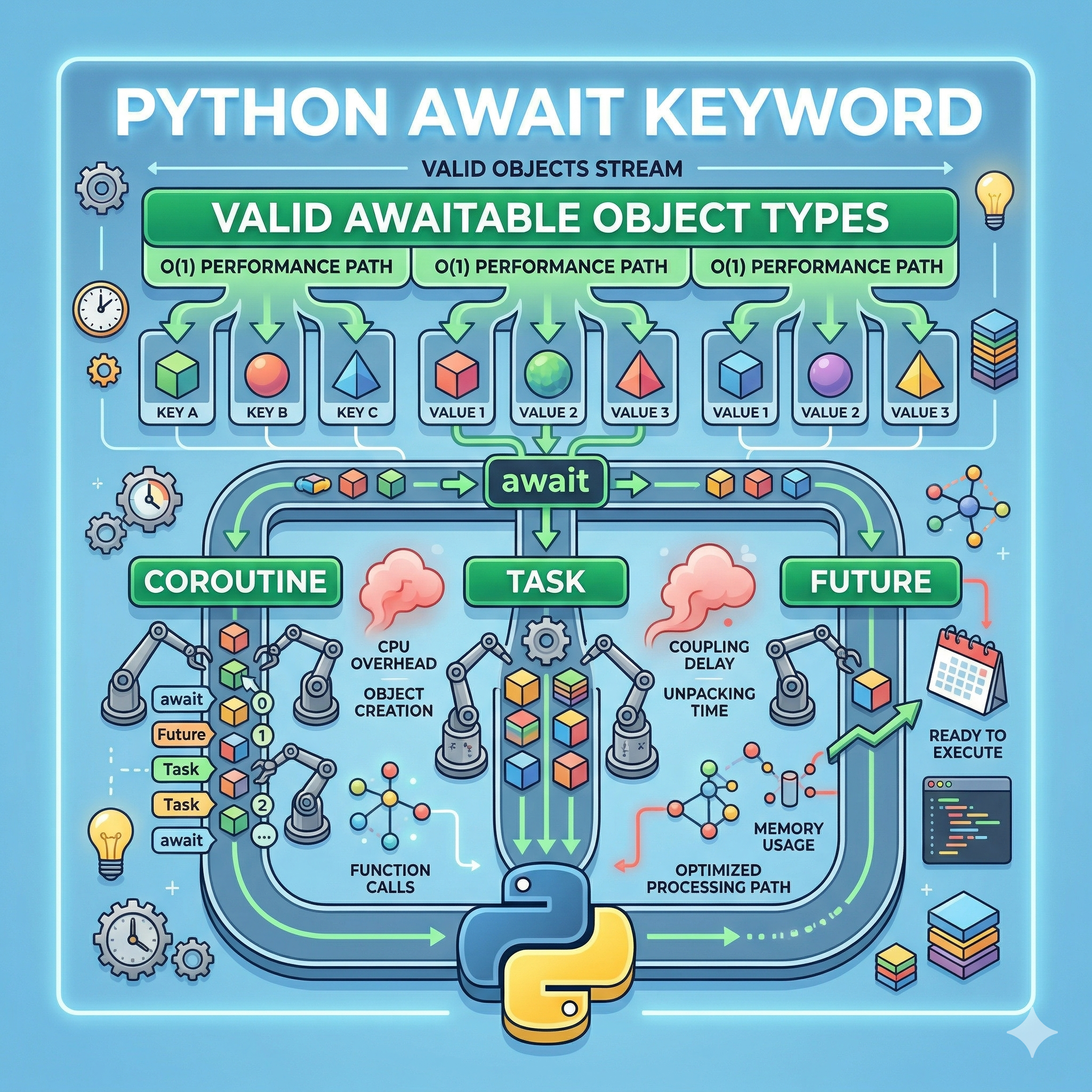
파이썬의 async/await 구문은 비동기 프로그래밍을 마치 동기 코드처럼 읽기 쉽게 만들어주는 혁신적인 도구입니다. 하지만 많은 개발자가 단순히 async def로 선언된 함수 앞에 await를 붙이는 수준에 머물러 있습니다. 정교한 비동기 아키텍처를 설계하기 위해서는 await 키워드 뒤에 올 수 있는 객체인 'Awaitable'의 정체를 정확히 파악해야 합니다. 파이썬 공식 문서에 따르면, await 표현식에 사용될 수 있는 객체는 추상 베이스 클래스인 collections.abc.Awaitable을 구현한 객체여야 합니다. 본 가이드에서는 이 Awaitable 객체의 3가지 주요 유형을 분석하고, 실무에서 마주하는 병렬 처리 문제를 해결하기 위한 7가지 이상의 전문적인 예제를 제공합니다.
1. Awaitable 객체의 3가지 핵심 종류 및 차이 분석
파이썬 비동기 생태계에서 await 뒤에 배치될 수 있는 객체는 크게 코루틴(Coroutine), 태스크(Task), 그리고 퓨처(Future)로 나뉩니다.
| 객체 종류 | 주요 정의 및 특징 | 실행 제어 방식 | 비고 |
|---|---|---|---|
| Coroutine (코루틴) | async def 함수 호출로 생성된 객체 |
await를 만날 때까지 실행되지 않음 (Lazy) |
가장 일반적인 형태 |
| Task (태스크) | 코루틴을 스케줄링하여 실행 중인 객체 | 생성 즉시 이벤트 루프에서 병렬 실행 시작 | asyncio.create_task()로 생성 |
| Future (퓨처) | 미래에 완료될 작업의 결과를 담는 저수준 객체 | 작업이 완료될 때까지 루프가 기다림 | 주로 프레임워크/라이브러리 내부에서 사용 |
2. 왜 Awaitable 인터페이스가 중요한가?
파이썬은 덕 타이핑(Duck Typing) 언어입니다. 어떤 객체가 __await__() 매직 메서드를 구현하고 있다면, 그것은 무엇이든 await 할 수 있습니다. 이를 통해 개발자는 단순한 함수 호출을 넘어, 비동기 컨텍스트 매니저나 커스텀 비동기 반복자 등 고차원적인 설계를 해결할 수 있습니다.
3. 실무 적용을 위한 7가지 Awaitable 활용 Example
Example 1: 기본적인 코루틴(Coroutine) Awaiting
가장 기초적인 형태로, 비동기 함수의 반환 객체를 기다립니다.
import asyncio

async def fetch_data():
    await asyncio.sleep(1)
    return {"status": "success"}

async def main():
    # fetch_data() 호출 자체가 코루틴 객체를 반환함
    result = await fetch_data()
    print(result)

asyncio.run(main())
Example 2: 태스크(Task)를 이용한 동시 실행 및 결과 대기
여러 작업을 동시에 시작하고, 나중에 그 결과를 await로 수집합니다.
async def task_worker(name, delay):
    await asyncio.sleep(delay)
    return f"Task {name} complete"

async def main():
    # 생성과 동시에 루프에서 실행 시작
    t1 = asyncio.create_task(task_worker("A", 2))
    t2 = asyncio.create_task(task_worker("B", 1))

    # 다른 작업 수행 가능...

    # 여기서 각 태스크의 결과를 기다림
    res2 = await t2
    res1 = await t1
    print(res1, res2)

asyncio.run(main())
Example 3: Future 객체를 이용한 수동 결과 바인딩
외부 이벤트나 콜백 시스템의 결과를 비동기 흐름으로 가져올 때 사용합니다.
async def set_future_result(fut, delay):
    await asyncio.sleep(delay)
    fut.set_result("Future is now ready!")

async def main():
    loop = asyncio.get_running_loop()
    fut = loop.create_future()

    asyncio.create_task(set_future_result(fut, 3))

    # Future 객체가 set_result될 때까지 기다림
    print(await fut)

asyncio.run(main())
Example 4: 커스텀 Awaitable 클래스 제작 (Magic Method)
직접 __await__를 구현하여 클래스 인스턴스 자체를 await 가능하게 만듭니다.
class CustomAwaitable:
    def __await__(self):
        # 제너레이터 기반으로 await 동작 정의
        yield from asyncio.sleep(1).__await__()
        return "Custom Awaitable Finished"

async def main():
    obj = CustomAwaitable()
    result = await obj
    print(result)

asyncio.run(main())
Example 5: asyncio.gather를 이용한 Awaitable 묶음 처리
여러 Awaitable 객체를 하나의 묶음으로 만들어 효율적으로 기다리는 방법입니다.
async def main():
    coros = [task_worker(str(i), i) for i in range(1, 4)]
    # gather 자체도 Awaitable을 반환함
    results = await asyncio.gather(*coros)
    print(results)

asyncio.run(main())
Example 6: 비동기 컨텍스트 매니저와 Awaitable
__aenter__ 역시 코루틴(Awaitable)을 반환하여 비동기 리소스 할당을 보장합니다.
class AsyncSession:
    async def __aenter__(self):
        print("Connecting...")
        await asyncio.sleep(0.5)
        return self

    async def __aexit__(self, exc_type, exc, tb):
        print("Closing...")
        await asyncio.sleep(0.1)

async def main():
    async with AsyncSession() as session:
        print("Session active")

asyncio.run(main())
Example 7: 비동기 제너레이터와 이터러블 처리
anext()를 사용하여 비동기 반복자의 다음 값을 await로 가져옵니다.
async def async_gen():
    for i in range(3):
        await asyncio.sleep(0.5)
        yield i

async def main():
    gen = async_gen()
    # 비동기 반복문 내부적으로 anext()라는 Awaitable을 사용함
    async for val in gen:
        print(val)

asyncio.run(main())
4. Awaitable 활용 시 주의사항 및 최적화 전략
- 병목 해결: 코루틴을 그냥
await하면 순차 실행됩니다. 병렬성이 필요하다면 반드시Task로 변환하십시오. - Blocking 주의:
await뒤에 오는 객체 내부에서time.sleep()같은 블로킹 함수가 호출되면 이벤트 루프가 정지합니다. - Future 관리: 퓨처 객체 사용 시
set_result가 호출되지 않으면await문에서 영원히 대기하게 되므로 예외 처리가 필수적입니다.
5. 내용 출처 및 기술 참조
- Python Software Foundation. "Coroutines and Tasks." Python 3.12 Documentation.
- "PEP 492 – Coroutines with async and await syntax."
- Real Python. "Async IO in Python: A Complete Walkthrough."
- Luciano Ramalho. "Fluent Python, 2nd Edition." O'Reilly Media.
'Python' 카테고리의 다른 글
| [PYTHON] 딕셔너리 내부의 비밀 : 해시 충돌과 성능 저하를 방지하는 5가지 핵심 방법 (0) | 2026.03.30 |
|---|---|
| [PYTHON] 고성능 비동기 처리를 위한 asyncio 이벤트 루프의 3가지 핵심 원리와 해결 방법 (0) | 2026.03.30 |
| [PYTHON] 비동기 프로그래밍의 적, 블로킹 함수 사용 시 발생하는 3가지 치명적 문제와 해결 방법 (0) | 2026.03.30 |
| [PYTHON] 고성능 병렬 처리를 위한 ThreadPoolExecutor와 ProcessPoolExecutor의 5가지 차이와 선택 방법 (0) | 2026.03.30 |
| [PYTHON] 비동기 프로그래밍의 핵심, async for와 async with 실무 활용 방법 7가지와 성능 해결 차이점 (0) | 2026.03.30 |


