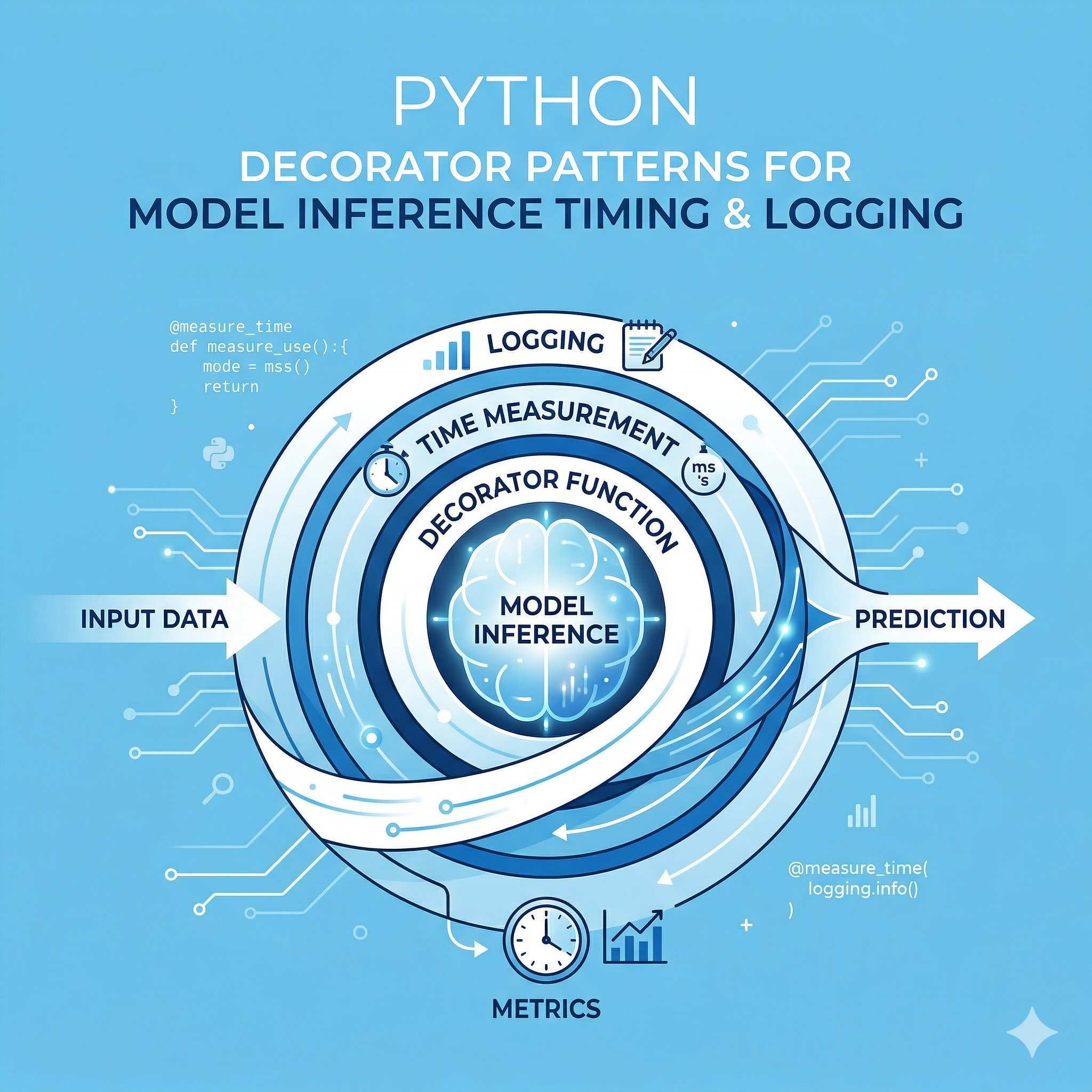
AI 모델을 서빙하는 실무 환경에서 가장 빈번하게 발생하는 요구사항은 "추론 속도의 모니터링"과 "시스템 리소스의 추적"입니다. 단순히 모델을 실행하는 것을 넘어, 운영 단계에서는 특정 입력 데이터에 대해 모델이 얼마나 지연(Latency)되는지, 그리고 메모리 누수는 없는지 실시간으로 파악해야 합니다. 이를 위해 비즈니스 로직과 로깅 로직을 분리하는 '관점 지향 프로그래밍(AOP)'의 정수인 Decorator(데코레이터)를 활용하는 것은 선택이 아닌 필수입니다. 본 가이드에서는 파이썬 데코레이터를 활용하여 딥러닝 모델(PyTorch, TensorFlow, ONNX 등)의 추론 시간을 정밀하게 측정하고, 운영 환경에서 즉시 사용 가능한 7가지 고급 패턴을 상세히 다룹니다.
1. 왜 데코레이터인가? 추론 측정의 3가지 핵심 차이
일반적인 함수 호출 방식과 데코레이터를 이용한 방식은 코드 유지보수 측면에서 극명한 차이를 보입니다. 특히 대규모 서빙 아키텍처에서는 다음과 같은 이점을 제공합니다.
| 구분 | 기존 인라인(Inline) 측정 방식 | 데코레이터(Decorator) 패턴 방식 |
|---|---|---|
| 코드 가독성 | 비즈니스 로직과 로깅 코드가 혼재됨 | 원본 함수 코드가 깔끔하게 유지됨 |
| 재사용성 | 함수마다 중복 코드를 작성해야 함 | 한 번 작성으로 모든 함수에 적용 가능 |
| 유지보수 | 수정 시 모든 함수를 찾아가며 변경해야 함 | 데코레이터 정의부만 수정하면 일괄 반영됨 |
2. 실무 적용을 위한 고급 Python Decorator 패턴 Sample Examples
개발자가 실무 프로젝트(FastAPI, Flask, Celery 등)에서 즉시 복사하여 적용할 수 있는 7가지 전문적인 예제를 제공합니다.
Example 1: 고정밀 밀리초(ms) 단위 추론 시간 측정 패턴
기본적인 time.time() 대신 운영체제별 정밀도가 높은 time.perf_counter()를 사용하여 나노초 단위의 오차를 최소화합니다.
import time
import functools
import logging

def measure_latency(func):
    @functools.wraps(func)
    def wrapper(*args, **kwargs):
        start_time = time.perf_counter()
        result = func(*args, **kwargs)
        end_time = time.perf_counter()
        latency = (end_time - start_time) * 1000
        print(f"[{func.__name__}] Inference Time: {latency:.4f} ms")
        return result
    return wrapper

@measure_latency
def predict_image(image_data):
    # 가상의 모델 추론 로직
    time.sleep(0.05)
    return {"class": "cat", "score": 0.98}
Example 2: GPU 동기화를 포함한 PyTorch 전용 측정 패턴
GPU 연산은 비동기로 이루어지므로, 단순히 CPU 시간을 측정하면 오차가 발생합니다. torch.cuda.synchronize()를 통해 정확한 GPU 작업 시간을 계산합니다.
import torch
import time
import functools

def torch_device_timer(func):
    @functools.wraps(func)
    def wrapper(*args, **kwargs):
        if torch.cuda.is_available():
            torch.cuda.synchronize()
        start = time.perf_counter()

        result = func(*args, **kwargs)

        if torch.cuda.is_available():
            torch.cuda.synchronize()
        end = time.perf_counter()

        print(f"Device-Aware Latency: {(end - start) * 1000:.2f}ms")
        return result
    return wrapper

@torch_device_timer
def run_gpu_inference(model, input_tensor):
    return model(input_tensor)
Example 3: 예외 발생 시 에러 로깅 및 시간 기록 통합 패턴
추론 중 에러가 발생했을 때, 에러 내용과 발생 시점의 컨텍스트를 로깅하는 패턴입니다.
import logging
import time
from functools import wraps

logging.basicConfig(level=logging.INFO)
logger = logging.getLogger("ModelServer")

def robust_inference_logger(func):
    @wraps(func)
    def wrapper(*args, **kwargs):
        start_ts = time.time()
        try:
            res = func(*args, **kwargs)
            logger.info(f"SUCCESS | {func.__name__} | Time: {time.time()-start_ts:.3f}s")
            return res
        except Exception as e:
            logger.error(f"FAIL | {func.__name__} | Error: {str(e)} | Time: {time.time()-start_ts:.3f}s")
            raise e
    return wrapper
Example 4: 인자값(Arguments) 추적을 포함한 조건부 로깅 패턴
특정 크기 이상의 배치 사이즈(Batch Size)에서만 로깅을 활성화하거나, 입력 데이터의 속성을 함께 기록하는 지능형 데코레이터입니다.
def conditional_logger(threshold_ms=100):
    def decorator(func):
        @functools.wraps(func)
        def wrapper(*args, **kwargs):
            start = time.perf_counter()
            result = func(*args, **kwargs)
            end = time.perf_counter()
            duration = (end - start) * 1000

            if duration > threshold_ms:
                input_shape = args[0].shape if hasattr(args[0], 'shape') else 'unknown'
                print(f"ALERT: Slow Inference! {duration:.2f}ms | Input: {input_shape}")
            return result
        return wrapper
    return decorator

@conditional_logger(threshold_ms=50)
def heavy_model_process(tensor_data):
    time.sleep(0.06) # 50ms 초과 시뮬레이션
    return tensor_data
Example 5: 비동기(Asyncio) 환경을 위한 비동기 전용 데코레이터
FastAPI와 같은 비동기 프레임워크에서는 async def를 지원하는 데코레이터가 필요합니다.
import asyncio
import time
from functools import wraps

def async_timer(func):
    @wraps(func)
    async def wrapper(*args, **kwargs):
        start = asyncio.get_event_loop().time()
        result = await func(*args, **kwargs)
        end = asyncio.get_event_loop().time()
        print(f"Async Task {func.__name__} took: {(end - start):.4f}s")
        return result
    return wrapper

@async_timer
async def async_predict_api(data):
    await asyncio.sleep(0.1)
    return {"status": "ok"}
Example 6: 모델 추론 카운팅 및 TPS(Throughput) 계산 패턴
정적 변수를 활용하여 누적 추론 횟수를 계산하고 초당 처리량(TPS)을 가늠할 수 있게 합니다.
class InferenceMonitor:
    def __init__(self):
        self.call_count = 0
        self.total_time = 0

    def monitor(self, func):
        @functools.wraps(func)
        def wrapper(*args, **kwargs):
            start = time.perf_counter()
            res = func(*args, **kwargs)
            end = time.perf_counter()

            self.call_count += 1
            self.total_time += (end - start)
            avg_time = (self.total_time / self.call_count) * 1000
            print(f"Total Calls: {self.call_count} | Avg Latency: {avg_time:.2f}ms")
            return res
        return wrapper

monitor = InferenceMonitor()

@monitor.monitor
def batch_inference(data):
    return [0] * len(data)
Example 7: 메모리 점유율 변화 추적 데코레이터 (Memory Profiling)
추론 전후의 메모리 사용량을 비교하여 모델의 메모리 누수 여부를 체크합니다.
import psutil
import os

def memory_usage_trace(func):
    @functools.wraps(func)
    def wrapper(*args, **kwargs):
        process = psutil.Process(os.getpid())
        mem_before = process.memory_info().rss / 1024 / 1024

        result = func(*args, **kwargs)

        mem_after = process.memory_info().rss / 1024 / 1024
        print(f"[{func.__name__}] Memory Delta: {mem_after - mem_before:.2f} MB | Current: {mem_after:.2f} MB")
        return result
    return wrapper
3. 성능 측정을 위한 하드웨어별 고려사항
모델 추론 시간을 측정할 때는 소프트웨어적인 로직 외에도 하드웨어의 특성을 반드시 이해해야 합니다. 특히 CPU 가속(AVX-512)이나 GPU(CUDA Core)의 Warm-up 상태에 따라 측정값의 변동폭이 매우 큽니다.
- Warm-up: 첫 번째 추론은 모델 로딩 및 캐싱으로 인해 평소보다 10배 이상 느릴 수 있습니다. 초기 5~10회는 통계에서 제외하는 로직이 필요합니다.
- Precision:
time.time()은 시스템 클럭 변경에 영향을 받으므로, 단조 증가(Monotonic) 속성을 지닌time.perf_counter()사용을 권장합니다. - Batching: 단일 데이터 추론과 배치 추론의 효율은 다릅니다. 데코레이터에서
len(args[0])등을 통해 배치 단위 효율을 계산하는 기능을 추가하는 것이 좋습니다.
4. 결론 및 요약
파이썬 데코레이터는 모델 서빙 코드의 관심사 분리(Separation of Concerns)를 실현하는 가장 강력한 도구입니다. 위에서 제시한 7가지 패턴을 응용하면, 운영 환경에서 발생하는 지연 시간 문제를 빠르게 식별하고 해결할 수 있습니다.
| 환경 | 권장 패턴 | 핵심 함수/라이브러리 |
|---|---|---|
| 범용 CPU 모델 | High-Resolution Timer | time.perf_counter() |
| GPU (PyTorch/TF) | Sync-Aware Timer | torch.cuda.synchronize() |
| 웹 API (FastAPI) | Async Wrapper | asyncio.get_event_loop().time() |
| 리소스 모니터링 | Memory Profiler | psutil.Process().memory_info() |
[내용 출처 및 참고 문헌]
- Python Software Foundation. "Data model - Decorators." Official Documentation.
- PyTorch Core Team. "CUDA Semantics - Asynchronous execution." PyTorch Docs.
- High Performance Python, 2nd Edition (O'Reilly Media) - Chapter 4: Generators and Decorators.
- FastAPI Maintenance Guide - Middleware and Decorator Patterns for Observability.
'Python' 카테고리의 다른 글
| [PYTHON] 파인튜닝(Fine-tuning)과 프롬프트 엔지니어링의 결정적 차이 3가지와 해결 방법 7가지 (0) | 2026.04.12 |
|---|---|
| [PYTHON] Hugging Face 라이브러리 필수 활용 방법 7가지와 전통적 모델링의 차이 해결 (0) | 2026.04.12 |
| [PYTHON] GPU 메모리 누수 해결을 위한 Custom Context Manager 활용 방법 7가지 (0) | 2026.04.12 |
| [PYTHON] __slots__ 활용 방법으로 수백만 개 객체 메모리 부족 해결 및 성능 차이 분석 7가지 예제 (0) | 2026.04.12 |
| [PYTHON] 딥러닝 프레임워크 PyTorch가 메타 프로그래밍을 활용하는 7가지 방법과 구조적 해결 패턴 (0) | 2026.04.12 |


